
Tracking for ROKT
This guide will show you how to connect your ROKT account to Northbeam and pull the following metrics:
- Spend
- Impressions for C+MV modeling
Supported Attribution Models
The ROKT integration currently supports the following Northbeam attribution models:
- First Touch
- Last Touch
- Last Non-Direct Touch
- Clicks-Only
- Clicks + Modeled Views (C+MV)
Step 1: Enter Your App ID and App Secret
1A. Generate your API credentials in ROKT
- Sign in to One Platform at
my.rokt.com. - Navigate to Profile Settings (under your account icon at the bottom left).
- Scroll to the Generate Personal API Credentials section.
- Enter a name for your app and click Generate.
This will generate an App ID and App Secret to plug into Northbeam.
Tips
- The app name can be anything. It is only used for internal reference (example:
Northbeam).- Store the App Secret securely. You will not have access to the App Secret again after leaving the page.
ROKT documentation: https://docs.rokt.com/developers/api-reference/reporting/query-api/#generating-a-rokt-app-id-and-app-secret
1B. Enter credentials in Northbeam
- Open Connections and select ROKT.
- Paste your App ID and App Secret.
- Click Connect.
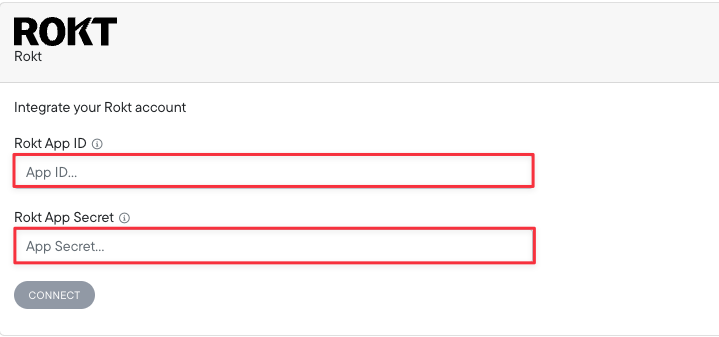
Settings > Connections > ROKT > API Key
Step 2: Insert UTM Parameters
Reach out to your ROKT account lead and they will inject the necessary Northbeam UTM parameters for you.
Once the connection is live and UTM parameters are appended, you're all set!
Updated 23 days ago
Did this page help you?