
Tracking for Keynes
Table of Contents
Introduction
This guide will show you how to set up Keynes spend tracking in Northbeam.
Once connected, Northbeam will automatically pull:
- Spend data from Keynes
- Campaign-level reporting data from Keynes
Because Keynes is a CTV platform, this integration is currently spend-only and does not support click attribution, UTMs, or revenue attribution.
| Input | Output | If Input is missing... |
|---|---|---|
| Keynes Integration | The following data is pulled into your dashboard:
| Keynes spend and campaign reporting data will not appear in Northbeam. |
Step 1: Connect Your Keynes Account
Northbeam connects to Keynes using AWS credentials provided by the Keynes team.
1A: Retrieve your Keynes AWS credentials
Please reach out to your Keynes representative to request your:
- AWS Access Key ID
- AWS Secret Access Key
1B: Connect in Northbeam
- Onboarding: Go to Integrations > Keynes
- Dashboard: Open Connections and select Keynes.
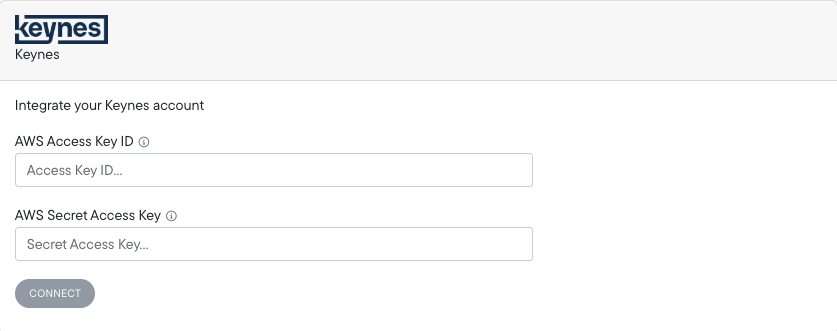
Paste your:
- AWS Access Key ID
- AWS Secret Access Key
Then click Connect.
Once connected successfully, your connected Keynes accounts will appear in the Connections page.
Historical Spend BackfillOnce connected, Northbeam automatically backfills up to 3 years of historical Keynes spend data.
Keynes FAQ
1. Does the Keynes integration support attribution or revenue tracking?
No. Keynes is currently a spend-only integration.
Because Keynes is a CTV platform, the integration does not currently support:
- UTMs or NBT parameters
- Revenue attribution
- Conversion attribution
- Click-based attribution
The integration is designed to import Keynes spend and campaign reporting data into Northbeam.
2. Can I connect multiple Keynes accounts?
At this time, Northbeam supports connecting one Keynes account per dashboard.
If you manage multiple Keynes accounts, you can still track the others by:
- Connecting one account through the native Keynes integration
- Sending spend for additional accounts via a Spend Sheet or Spend API
Any non-connected Keynes accounts will work similarly to other non-integrated channels.
3. Why don't I see revenue or ROAS metrics tied to Keynes?
The Keynes integration currently imports spend data only.
Because there are no UTMs, click identifiers, or deterministic conversion signals passed from Keynes into Northbeam, revenue and conversion metrics cannot currently be attributed directly to Keynes campaigns.
4. Why does Keynes spend differ from The Trade Desk at the daily level?
Keynes spend may differ from Northbeam at the daily level due to timezone reporting differences.
Keynes reports spend in UTC, while the original source data, such as The Trade Desk, may report spend in the account’s timezone, such as America/Los_Angeles. Since Northbeam receives daily-level data from Keynes, we cannot reliably convert that spend into the account’s local timezone at the hourly level.
As a result, individual daily totals may not match exactly. However, spend should generally reconcile closely at the monthly level.
5. I think there's an issue with my Keynes integration. Please help!
Please reference Troubleshooting Northbeam Data.
- Connection: Open Connections and check for any errors on the Keynes connection.
- Credentials: Double-check that your AWS Access Key ID and Secret Access Key were entered correctly
- Data Sync Timing: Spend data may take some time to appear after connecting, depending on Keynes data sync timing
Updated 11 days ago