

Introduction
This guide will show you how to set up OpenAI Ads spend and click based attribution tracking in Northbeam. Once the account is connected and the required Northbeam tracking parameter is added, Northbeam will receive:- Spend data from OpenAI Ads
- Platform reported click data from OpenAI Ads
- Campaign, ad group, and ad identifiers used for reconciliation and attribution
- Clicks Only
- Last Click
- First Click
- Linear
Before You Start
Make sure you have:- Access to the correct OpenAI Ads account
- Permission to create an API key in OpenAI Ads Manager
- Access to the correct Northbeam dashboard
- Permission to edit the landing page query parameters for your OpenAI Ads ad groups
Step 1: Create an OpenAI Ads API Key
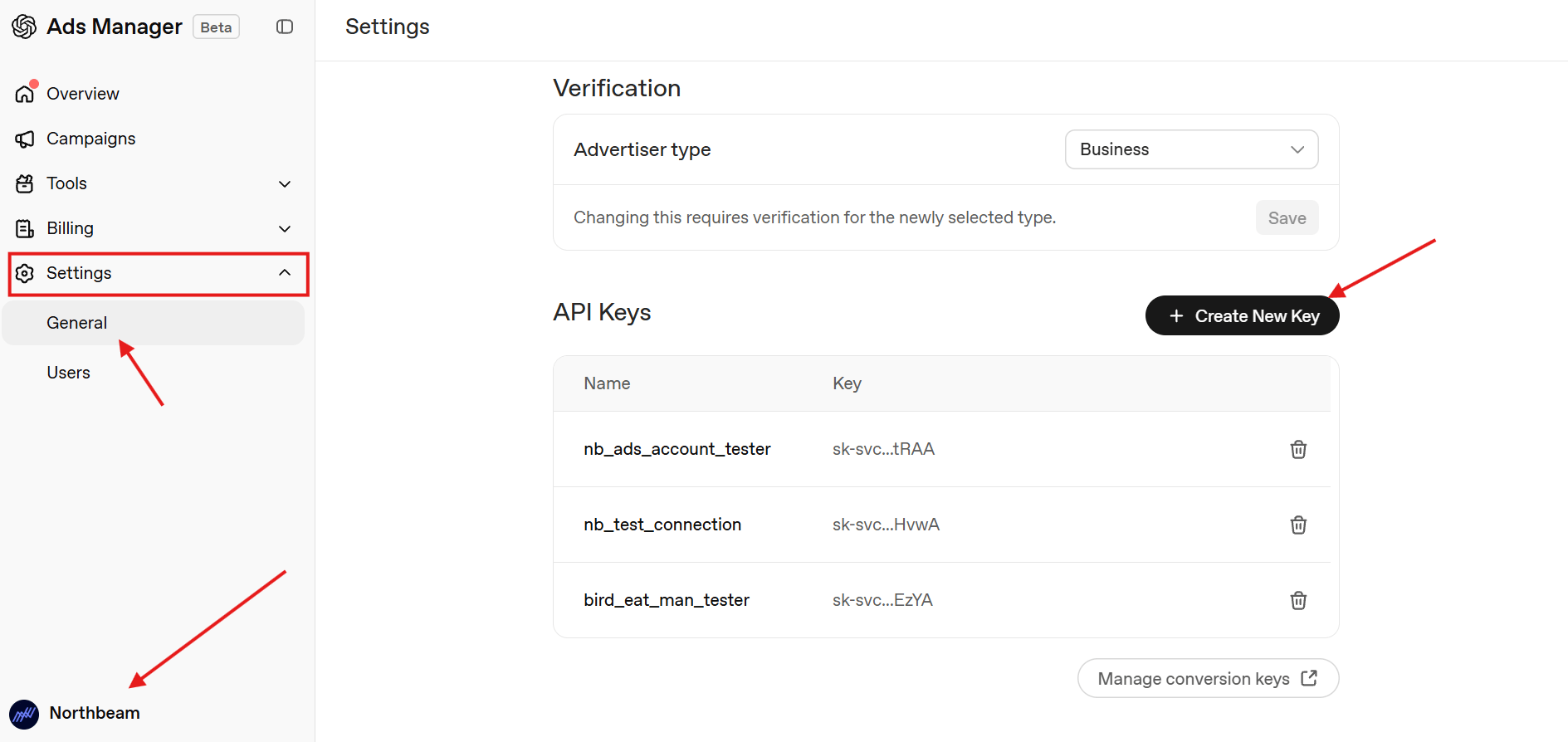
- Sign in to OpenAI Ads Manager.
- Use the account switcher in the bottom left corner to select the ad account you want to connect.
- Go to Settings > General >API Keys.
-
Click Create New Key.
-
Enter a recognisable name, such as
Northbeam ingestion.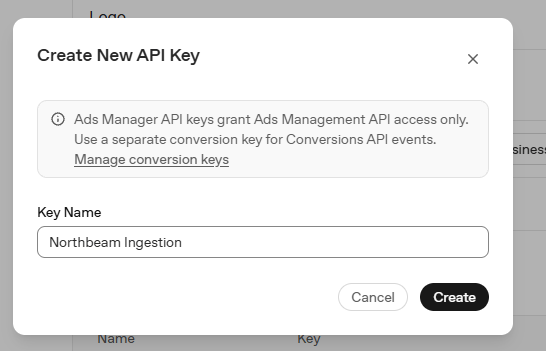
- Copy the API key.
Important: An API key is shown only once. Copy it when it is created. If it is lost, you must generate a new key.
Step 2: Connect Your OpenAI Ads Account
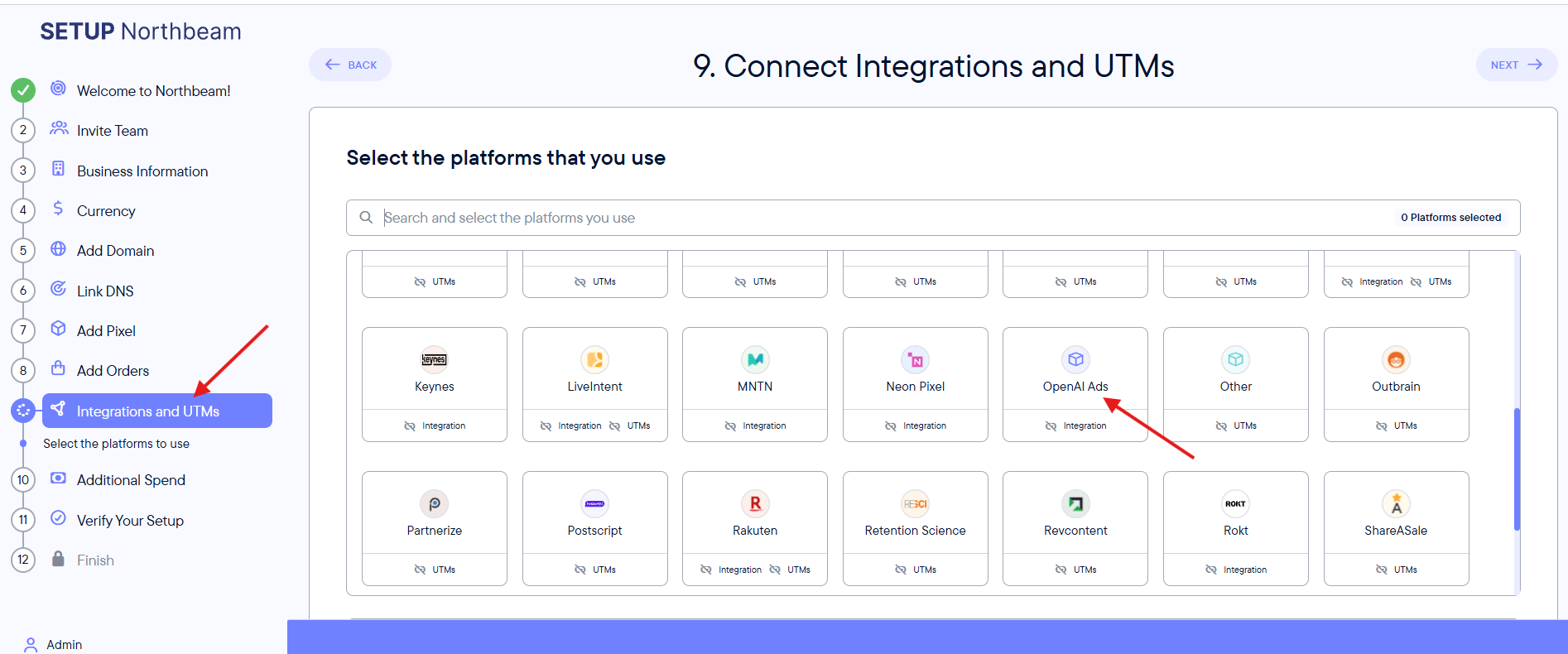
Open the OpenAI Ads integration in Northbeam:-
During onboarding: Go to Integrations and UTMs > OpenAI Ads.
-
From the dashboard: Go to Settings > Connections > OpenAI Ads.
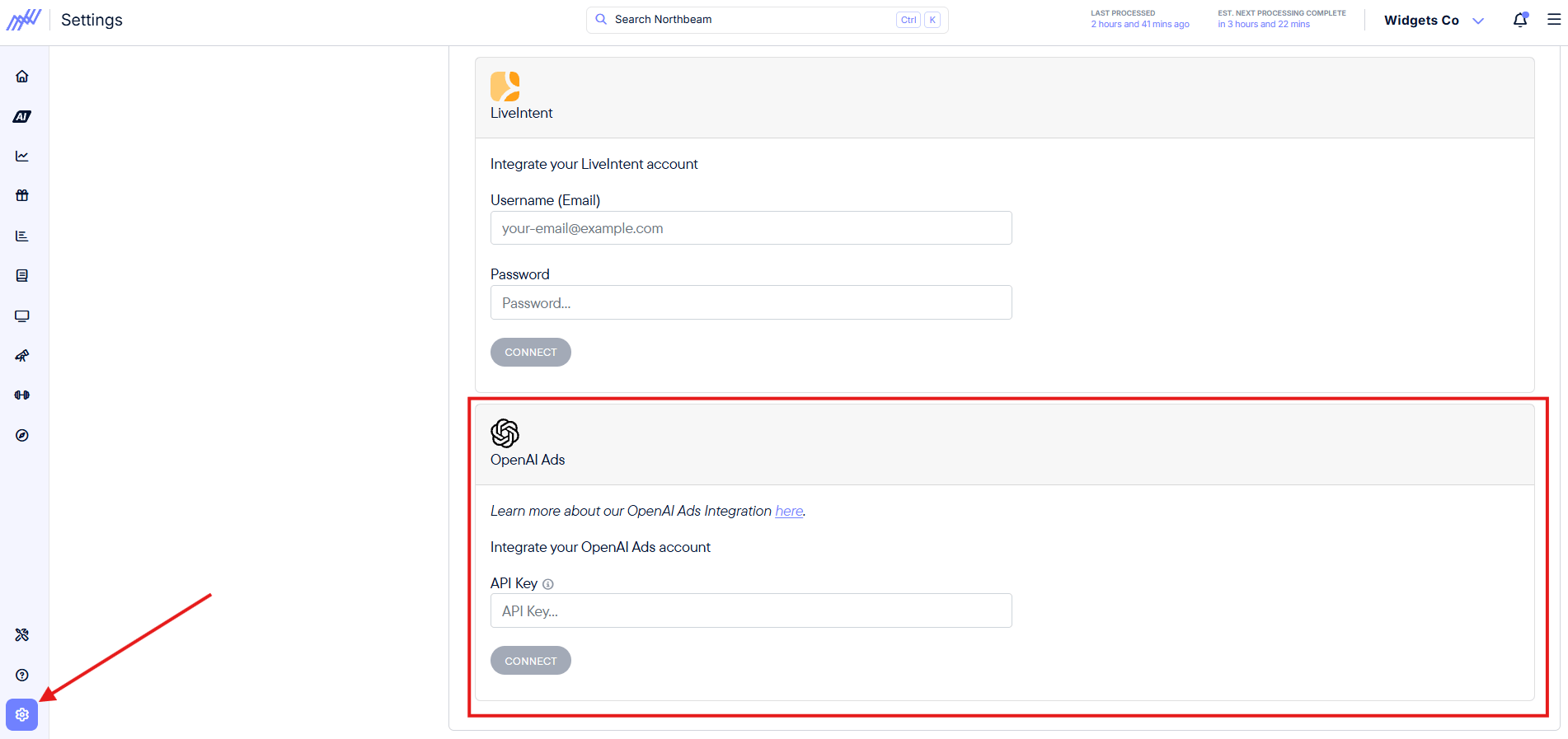
- Paste the API key into the API Key field.
- Confirm that the correct OpenAI Ads account is displayed.
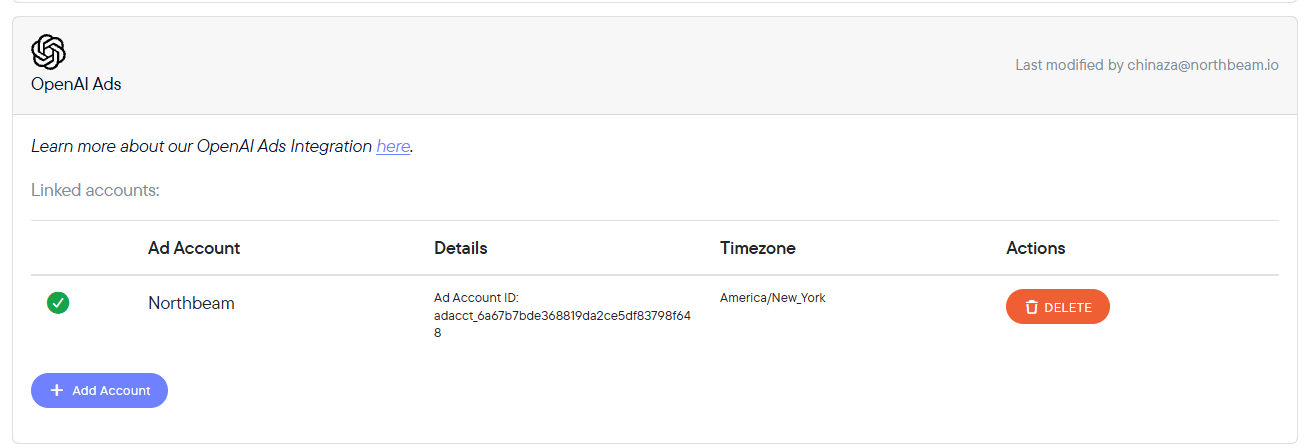
- Click Connect.
Step 3: Add the Northbeam Tracking Parameter
Add the Northbeam tracking parameter to the Landing page query parameters field at the campaign level: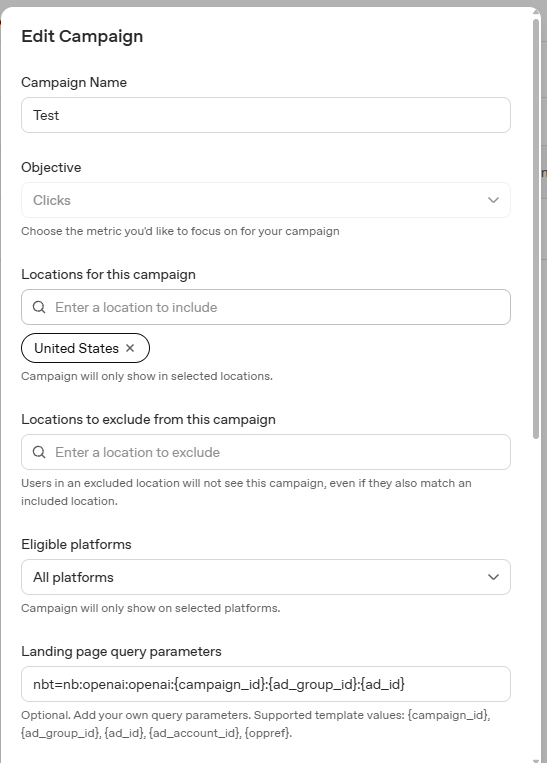
UTM Parameter Priority
Important: Parameters added at a lower level override those added at a higher level. The order of priority is ad level > ad group level > campaign level.
If an ad group or ad already has its own query parameters, make sure the Northbeam nbt parameter is also included at that level. Otherwise, the campaign level parameter may be overridden and Northbeam tracking could be lost.
Step 4: Verify the Integration
Complete the following checks:- The OpenAI Ads connection card shows a green confirmation icon.
- The correct ad account ID and timezone appear on the connection card.
- The NBT parameter is present in every active OpenAI Ads ad group.
- OpenAI Ads spend and platform reported clicks begin appearing in Northbeam.
- OpenAI Ads visits are assigned to the expected campaign, ad group, and ad.
OpenAI Ads FAQ
1. Does the OpenAI Ads integration support attribution and revenue tracking?
Yes. OpenAI Ads supports click based attribution when the API connection is active and the required NBT parameter is present on the ad group.2. Which Northbeam attribution models are supported?
OpenAI Ads supports:- Clicks Only
- Last Click
- First Click
- Linear
3. Does OpenAI Ads require UTMs?
The required Northbeam tracking parameter is:4. Does Northbeam pull platform reported clicks?
Yes. Northbeam pulls platform reported click data from OpenAI Ads. You can compare Northbeam visits with OpenAI Ads clicks to identify possible tracking coverage issues.5. How far does spend backfill?
The integration can backfill up to two years of historical spend when the account is first connected.6. What should I do if I lose the API key?
OpenAI Ads displays an API key only once. If you lose it, return to Settings > API Keys, generate a new key, and update the OpenAI Ads connection in Northbeam.7. Why is OpenAI Ads data missing or incomplete?
Check the following:- Go to Settings > Connections and confirm that the OpenAI Ads connection is green.
- Confirm that the correct OpenAI Ads account is linked.
- Generate a new API key and reconnect if the existing key is no longer valid.
- Confirm that every active ad group contains the exact Northbeam tracking parameter.
- Check that the landing page preserves the NBT parameter after redirects.