

Microsoft Ads FAQ
1. Do I need specific UTM parameters?
Nope! Once your account is connected, our pixel tracks all the data without needing to manually insert UTM parameters.2. How far back does Microsoft Ads data backfill?
When you connect your Microsoft Ads account, Northbeam backfills spend and performance data for up to 180 days prior to the connection date. Data earlier than 180 days before connection is not pulled automatically. This limitation exists because Microsoft only makes hourly spend data available for the last 180 days, and Northbeam’s Microsoft integration is built to process data at an hourly granularity. If you need more than 180 days of historical Microsoft Ads spend, we recommend ingesting that data via a Spend Sheet or Spend API.3. How do I connect an extra account or remove an account?
Reference our step-by-step guide below:4. Why do I see a data discrepancy?
Discrepancies in Revenue and Orders are expected. The reason for this lies in the differences between Northbeam’s attribution model and the corresponding platform’s attribution model. Each attribution model has a unique method of allocating credit. For example, Northbeam’s Clicks-Only model divides credit across all touchpoints and tries to push credit to your upper funnel channels. Let’s say your in-platform model uses Last Click, which gives credit to the last touchpoint in the journey. This is going to cause a discrepancy. To take it one step further, let’s say both Northbeam and in-platform are using Last Click. Northbeam is unique in that we recognize all touchpoints from every single channel. Whereas most platforms only recognize touchpoints from that same platform. In addition, there’s often a difference in the attribution window. By default, Northbeam leverages a 1-Day window, which is different than many other platforms’ default. To get the most apples to apples comparison, be sure to compare data using same Attribution Model and Attribution Window. But keep in mind, it will never be exact.Attribution Models and Windows
Microsoft:- Attribution Model: Last Click
- Attribution Window: 30-Day Click
- Attribution Model: Varies (default is Clicks-Only)
- Attribution Window: 1-Day (default, can extend to an infinite lifetime value)
5. Suspect a Tracking Issue?
Please reference our Troubleshooting Northbeam DataCheck for Manually Applied Northbeam URL Parameters
Northbeam automatically injects the required tracking parameters for Microsoft Ads, so manually adding Northbeam UTMs or URL parameters is uncommon and may cause issues. If tracking is not working correctly, check the Final URL Suffix field at the account, campaign, or ad level for any manually added Northbeam-specific parameters.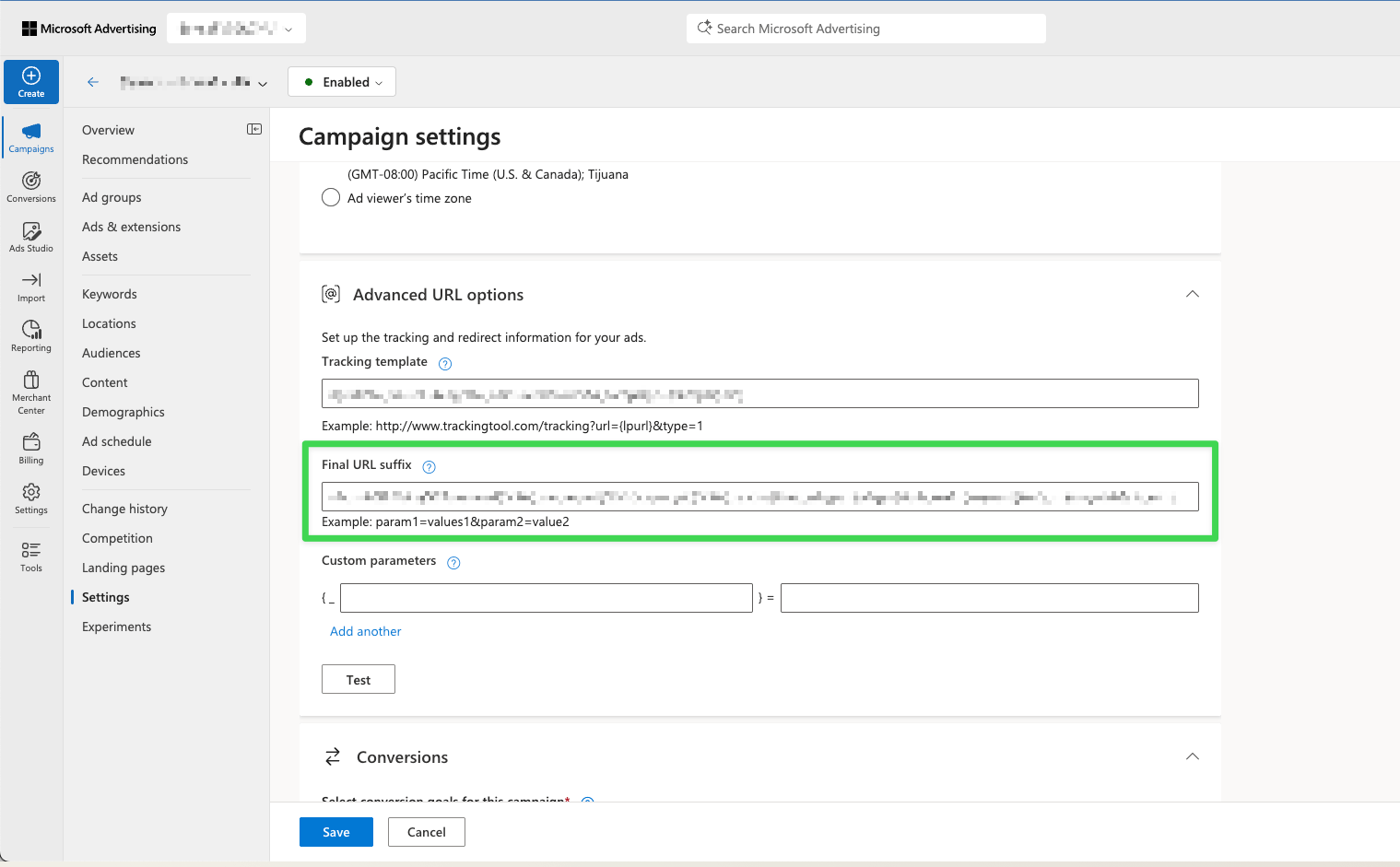
Example of the Final URL Suffix field in Microsoft Ads.
Still having trouble?
- Connection: Make sure your Ad Account is still connected. Open Connections and check for any errors. Connections could break for a variety of reasons, but most commonly, the User losing access to the Ad Account.
- UTMs: Ensure all your ads contain Northbeam UTMs, as listed in the UTM step above.
- Northbeam Pixel: Ensure the Northbeam Pixel is firing on your landing page. Note that some site themes may not automatically transfer to landing pages on certain third-party apps, necessitating manual pixel placement.
- Purchase Pixel: Confirm that the Purchase Pixel is firing on your checkout page.
- A-Record Setup: Verify that the A-Record is correctly configured in your DNS Settings.
- If the Microsoft Advertising application ID (d42ffc93-c136-491d-b4fd-6f18168c68fd) doesn’t exist in your Azure tenant: This can happen if you are trying to authenticate to a tool provider and never created your own Azure App registration and added msads.manage to it. To fix this, you will need to contact the Active Directory administrator to enable the service via a Microsoft Graph API call.